
The Professional Judgements Class Analysis page enables teachers and SLT members to view a collation of the Professional Judgements given for a particular subject, across their own classes, broken down per academic year.
For information on what Professional Judgements are, click here.
To access Professional Class Judgements Analysis, click the Analysis option on your main Balance menu or click the Analysis panel from the Balance homepage, before clicking Professional Judgements Class Analysis.
You are then presented with the collated Professional Judgements for your class, filtered by subject and academic year. If you have not completed any Professional Judgements for that particular subject, then the relevant subjects will be shown as empty, as shown below.

Providing you have completed Professional Judgements for your class for the subject you are viewing, the analysis will be populated with data as shown below.
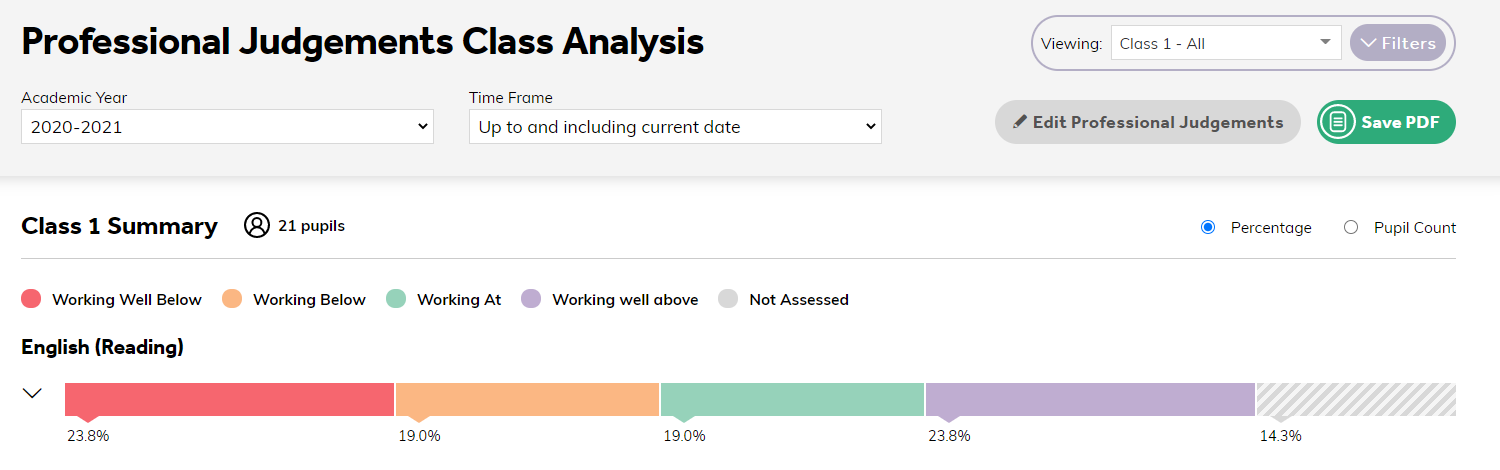
To change the class (or class group) or academic year, use the drop-down menus at the top of the page.
The Time Frame filter allows you to search your analysis for a specific time frame, which is really powerful as it lets you see a snapshot of data throughout certain points of the year, so you can see how the children are progressing through the curriculum as the year goes on. To see all data for the academic year, ensure that Up to and including current date is selected.
You can expand your data by clicking on the arrow alongside the subject. This will then display a breakdown of each bracket. Not Assessed pupils are also displayed in grey.
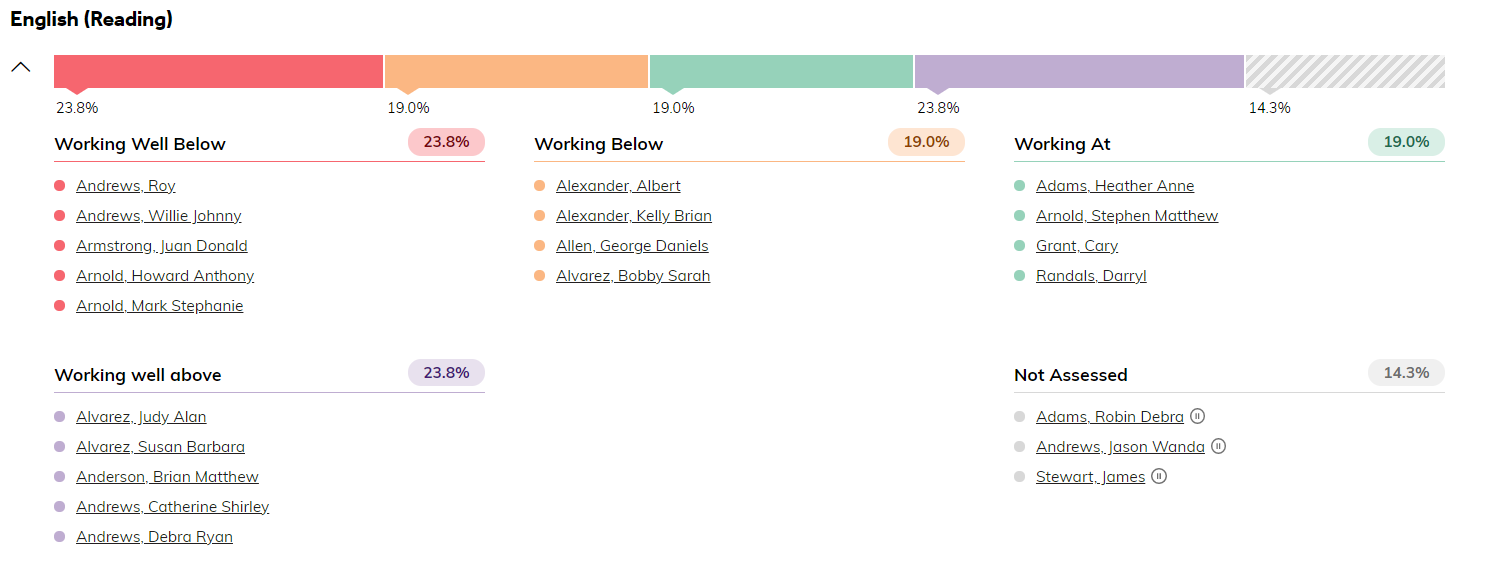
Clicking on the name of a pupil will take you to their individual pupil analysis page, so you can look over their data in more detail.